Install SkipMyHomework
Takes about 60 seconds. No app store needed.
Download the Extension
Version 1.0.3 · Updated 2026-02-20
The file will download as a .zip file. Don't worry — this is normal.
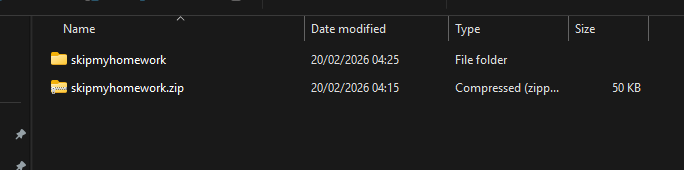
Unzip the File
Find the downloaded .zip file (usually in your Downloads folder) and unzip/extract it.
- On Windows: Right-click → Extract All
- On Mac: Double-click the .zip file
You should now have a folder called skipmyhomework.
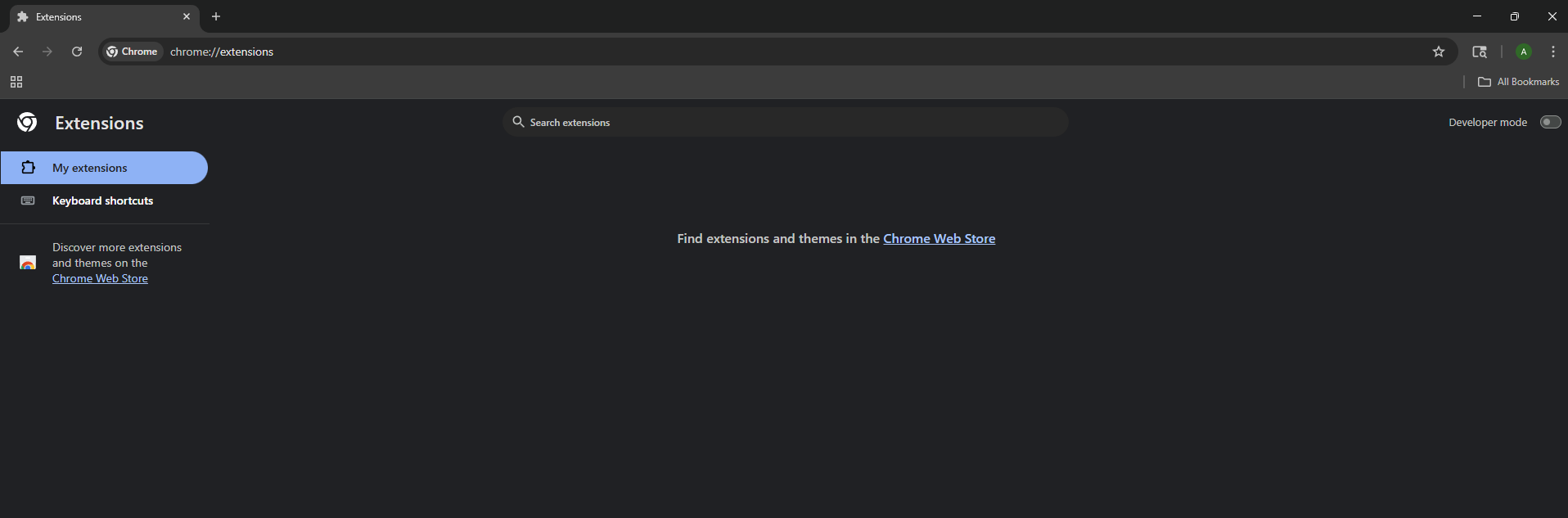
Open Chrome Extensions
Open Chrome and go to:
Or: Click the three dots menu (⋮) → Extensions → Manage Extensions
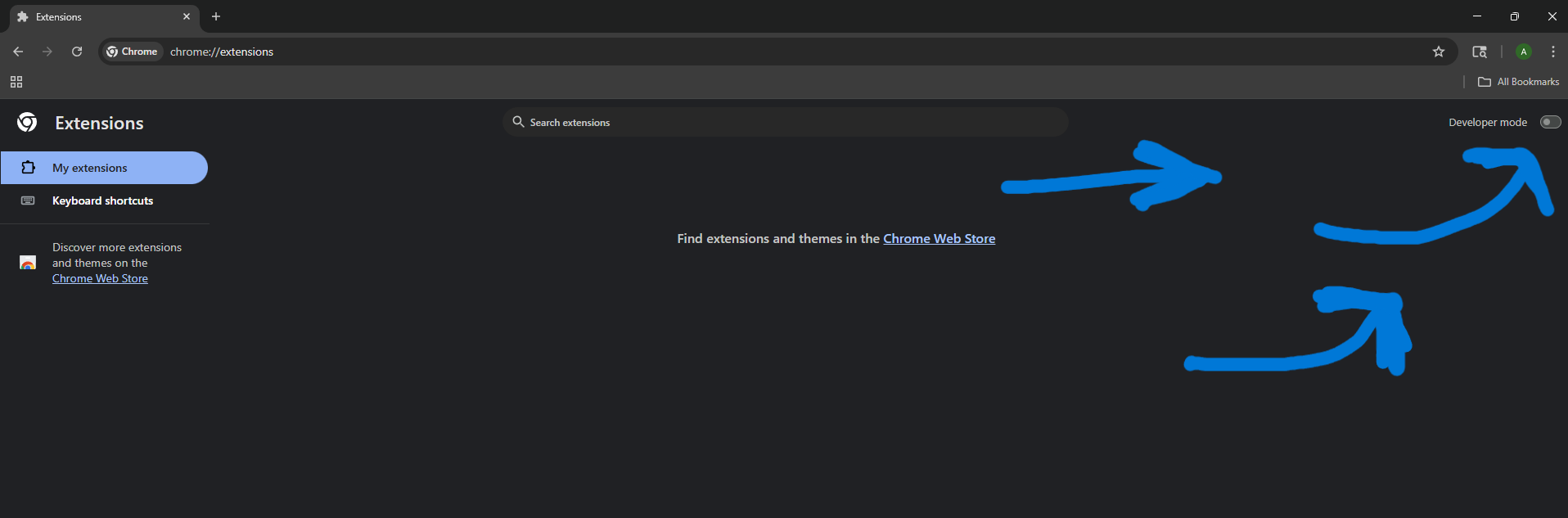
Enable Developer Mode
In the top-right corner of the extensions page, toggle ON “Developer mode”.
You'll see new buttons appear at the top: “Load unpacked”, “Pack extension”, etc.
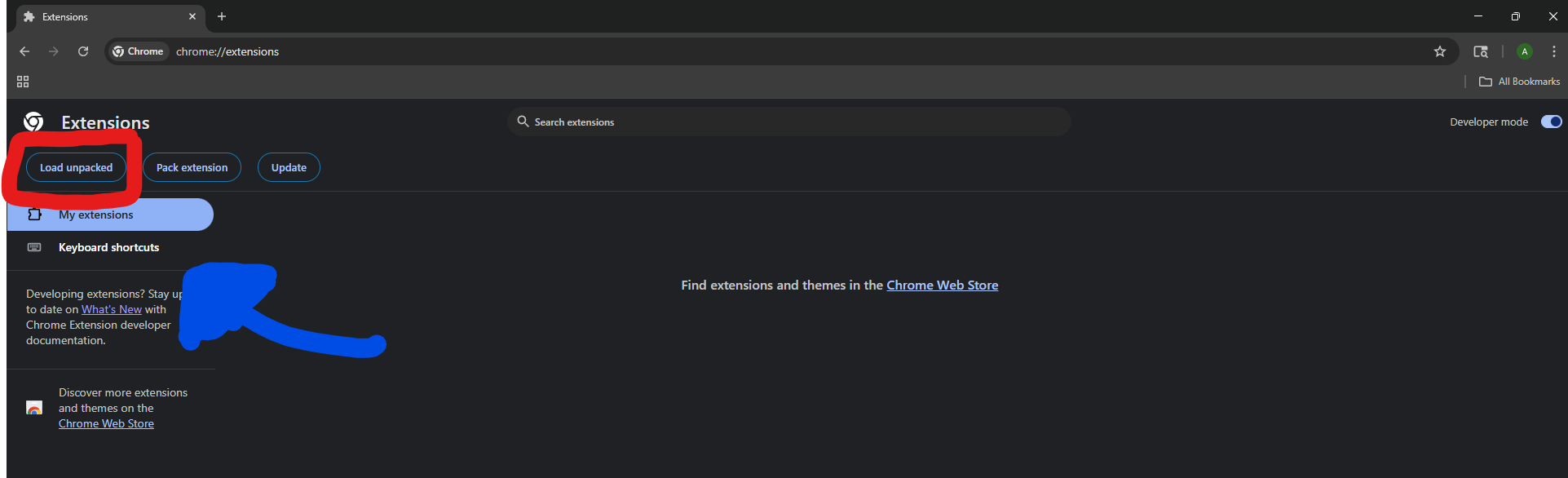
Load the Extension
Click “Load unpacked”.
Navigate to the folder you unzipped in Step 2 and select it.
Click “Select Folder” (Windows) or “Open” (Mac).
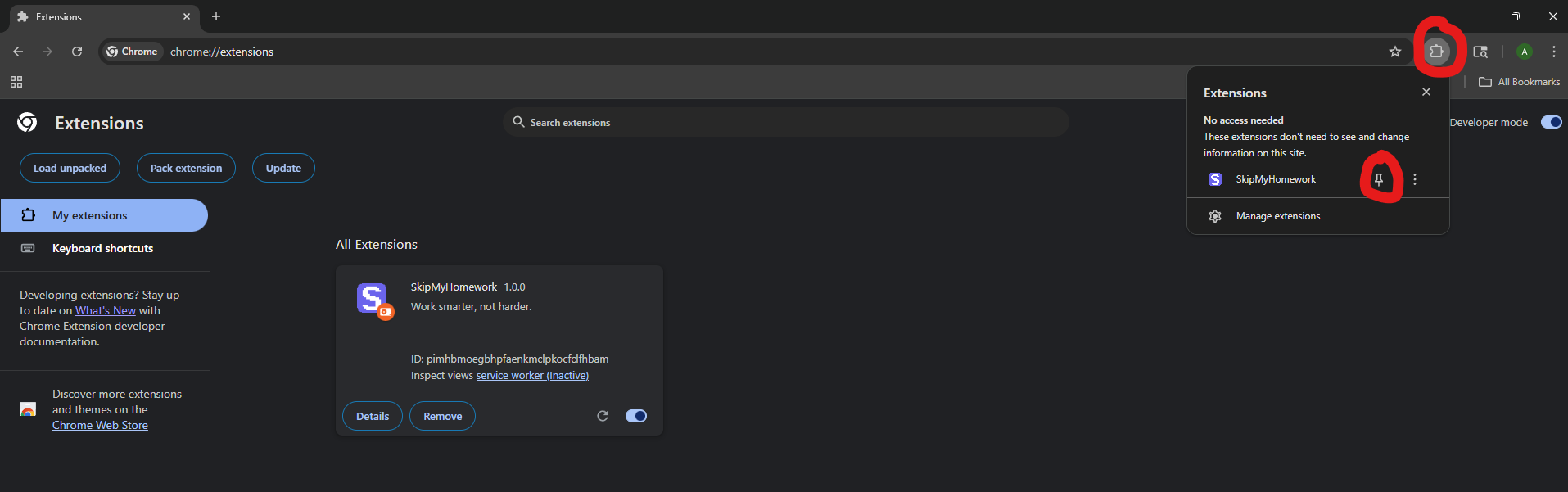
Pin the Extension
Click the puzzle piece icon in Chrome's toolbar.
Find SkipMyHomework and click the pin icon to keep it visible.
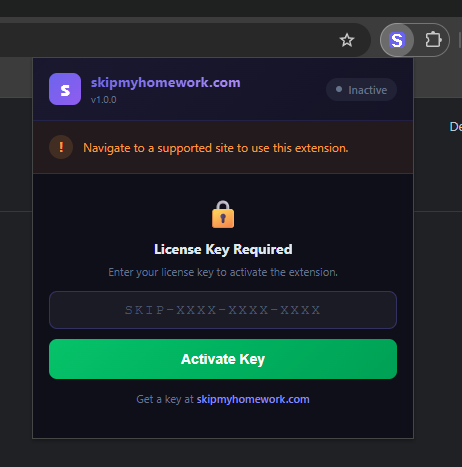
Enter Your License Key
Click the SkipMyHomework icon in your toolbar.
Paste your license key (format: SKIP-XXXX-XXXX-XXXX) and click Activate.
Don't have a key yet? Get one here.
You're Done!
Navigate to a supported assignment (Zybooks, SmartBook, Macmillan Achieve, etc.) and the extension will handle the rest.
Your key timer starts when you first use it on an assignment, not when you bought it.
Troubleshooting
Need help? Join our Discord
Having a technical issue? Contact support@skipmyhomework.com